
Your Meta Quest knows your room. Speaker & Acoustics Planner shows where every speaker of your home theater belongs in it.
For use with Meta Quest 2, Meta Quest 3 and Meta Quest 3S
Hear the layout before you drill a single hole.
The headset already holds a scan of your room — walls, doors, windows, furniture. The planner reads it, finds your screen and your seat, and places each speaker where the home theater standards put it, in the room you actually have.
Recorded in the headset. Turn the sound on to hear it.
front surround subwoofer reflection
Speakers go on the wall, on stands or a mix of both — around your furniture, clear of doors, with a clear path to your seat. Each one is drawn at the real size of its cabinet, with how far to turn it and tilt it toward you. When a corner simply has no room, the planner says why the angle is not ideal instead of pretending.
Furniture that stands in a speaker's way, or hides part of the screen, turns pink. No screen in your scan? Sit down and look ahead: the planner suggests one on the wall you face, sized for your distance and the free space on that wall, and you can resize it or mark your own.
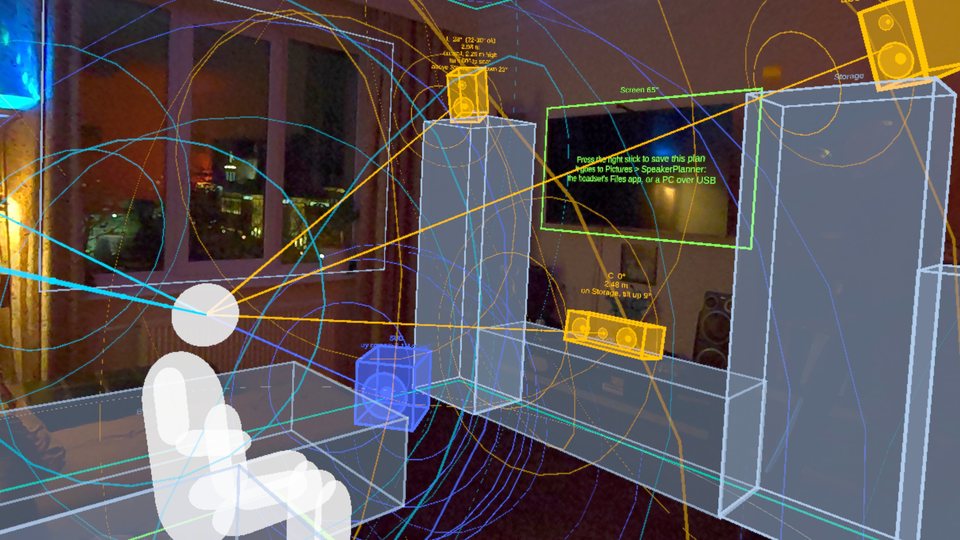
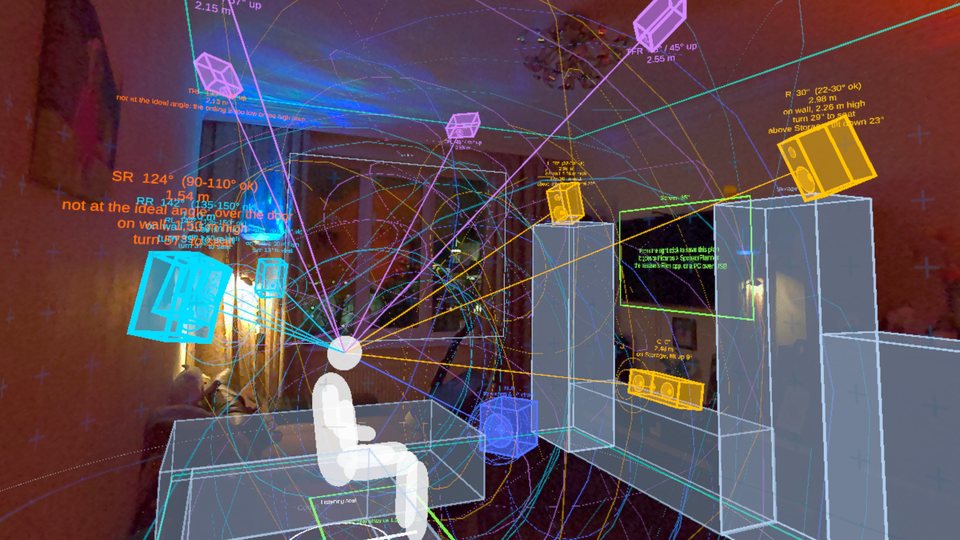
Music plays from the virtual speakers, placed in 3D around you, so you hear the layout in the room before you buy a single cable. Switch speakers on one by one, or all together.
Sound waves travel from each speaker to your seat, and the first reflections — the places where sound bounces off a wall, the floor or the ceiling on its way to you — are marked as orange squares. That is exactly where an acoustic panel, a rug or a heavy curtain belongs.
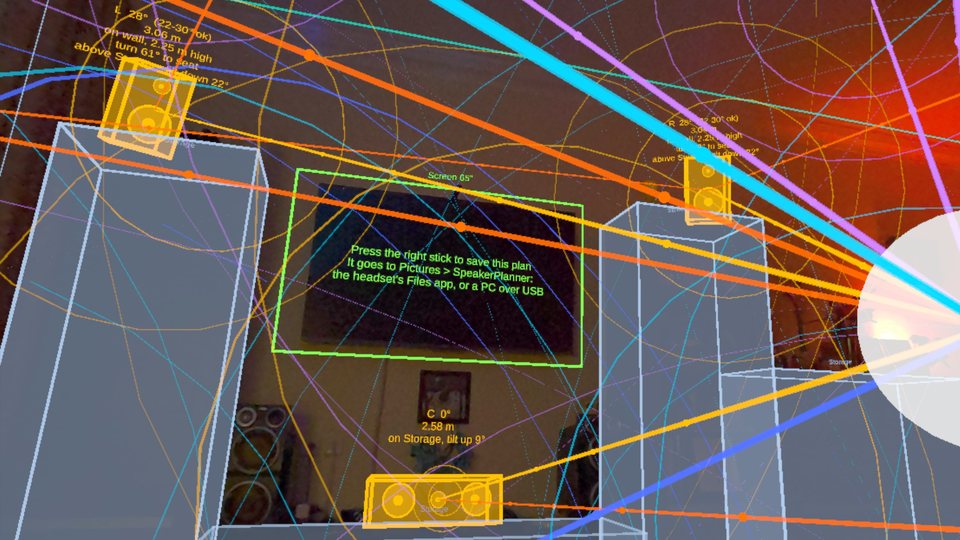
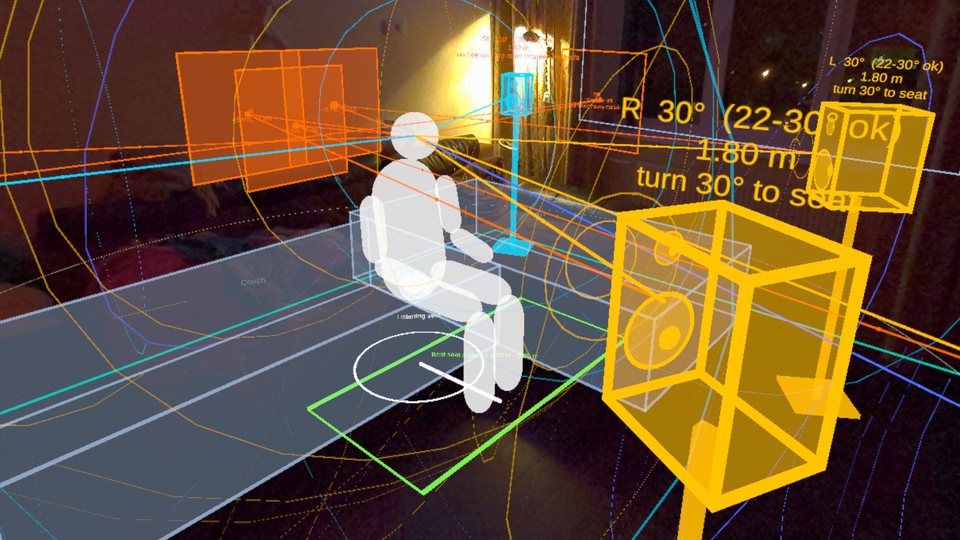
Save a top-down plan of the room: every speaker with its position, height, angle and distance from the seat, the reflection panels to place, and the settings for your receiver. It opens in the headset's Files app, or on a computer over USB.
The plan is a vector SVG drawing, in millimetres at a standard scale: it opens in any browser, prints sharp at any size, and can be edited in any drawing program, where a ruler measures the real room.
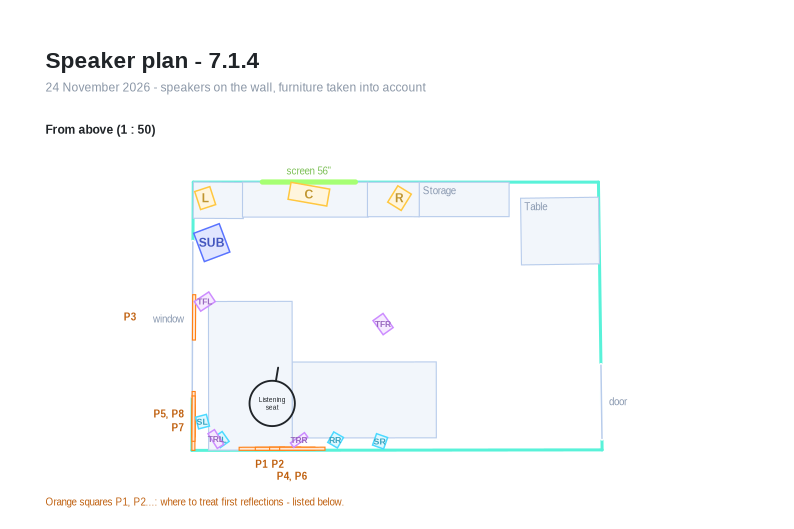
Click the plan to see the whole sheet. It is a real SVG file, unretouched, and opens in any drawing program.
Free: stereo — two speakers placed in your room, with the sound, the waves and the reflections.
Pro, a one-time purchase: every surround and height layout, from 5.1 to 7.1.4, and saving the plan. Bought once, kept on every headset you sign into.